
Purpose:
Linq Contact Cards let users instantly share their verified business identity over iMessage, ensuring recipients save the sender’s number with proper context and boosting trust. Reach out to support to upload your contact card information.
🔹 What Is a Linq Contact Card?
A Linq Contact Card includes the following information that is automatically pushed to recipients:
| Field | Example |
|---|---|
| Name | Linq Test |
| Phone | (555) 555-5555 |
| Picture | Profile Picture Here |
🔹 How Contact Cards Work
-
Sent Natively in iMessage:
-
Appears as an Apple-native “contact” preview card (not a file attachment).
-
Shows your name and profile image in recipients' text inboxes, even if they don't add you to their contact list.
-
-
Saveable to Contacts:
-
Recipients can tap → “Add to Contacts.”
-
Saves your name, picture, and number into their iPhone address book
-
🔹 Where You Can Send Contact Cards
| Platform | How It’s Used |
|---|---|
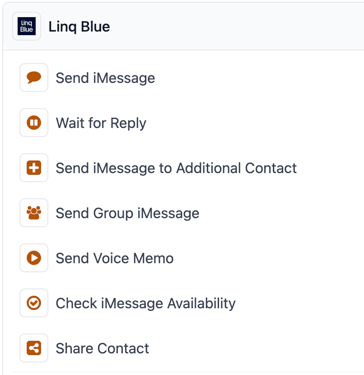
| GoHighLevel | Add "Share Contact" as a workflow action after your first message in any workflow |
🔹 Benefits
| Benefit | Impact |
|---|---|
| ✅ Builds trust | Displays verified name & photo in iMessage |
| ✅ Increases engagement | Higher open and reply rates |
| ✅ Simplifies saving | One-tap “Add to Contacts” experience |
| ✅ Strengthens brand | Consistent look across every message |
| ✅ Reduces Spam Likely | Higher answer rate when customers see legitimate call |
🔹 Technical Details
- Recommended size: 1024 × 1024 pixels
- Aspect ratio: 1 : 1 (square)
- File type: JPEG or PNG
-
Delivery Channel: iMessage (native)
-
Automation: Supported in GHL or the Linq Partner API