
Typeform Embed Content Tile
You can embed a Typeform directly on your Linq page so visitors can fill it out without leaving your page.
This is perfect for:
-
Lead capture
-
Surveys
-
Feedback forms
-
Event registrations
Before You Start
You’ll need the Share URL for your Typeform.
-
Go to your form in Typeform.
-
Click Share.
-
Copy the Share URL.
How to Add a Typeform Embed to Your Linq Page
-
Open the Pages tab
-
In the Linq app, tap the Pages tab.

-
-
Tap Add Content
-
At the top of your page, tap Add Content.
-
-
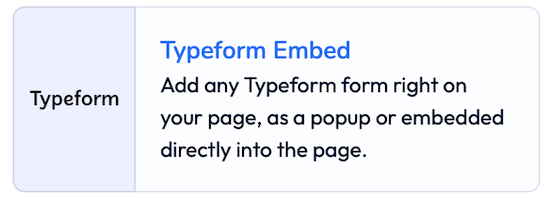
Select Typeform Embed
-
Scroll through the content options.
-
Tap Typeform Embed.
-
The Edit Typeform Embed window will appear.
-
-
Set your section title
-
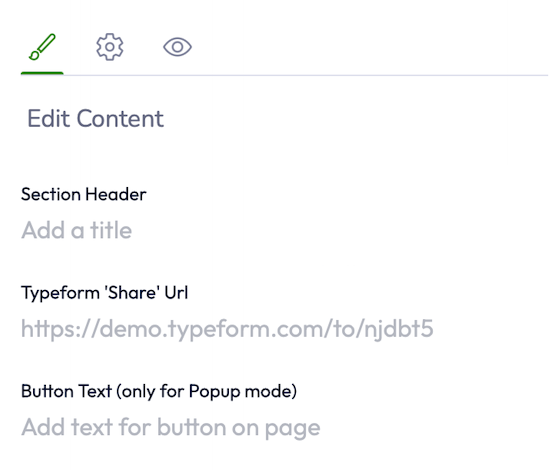
In Section Header, enter a title for this section (e.g., Contact Form, Feedback Survey, Apply Now).
-
-
Paste your Typeform Share URL
-
In the next field, paste the Share URL you copied from Typeform.
-
-
(Optional) Configure Popup Mode
-
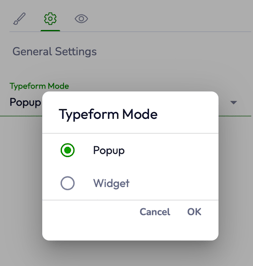
At the top of the Edit window, click the gear (⚙️) icon to open settings.
-
Inline mode: The Typeform is visible and fillable directly on your page.
-
Popup mode: Visitors tap the button text you set (e.g., “Take Survey”) to open the Typeform in a popup-style experience, then close it to return to your page.
-
-
-
Save
-
Tap Save when you’re done.
-
The Typeform section will now appear on your Linq page.
-