
You can customize the automatic follow-up message that is sent when someone connects with you on your Linq Page.
How to Edit Your Follow-Up Message
-
Open the Linq App.
-
Tap the Pages tab (second from the left on the bottom navigation bar).

-
Go to the page you want to edit and tap the three dots (•••) at the top.

-
Select Edit Follow-Up Messages.
-
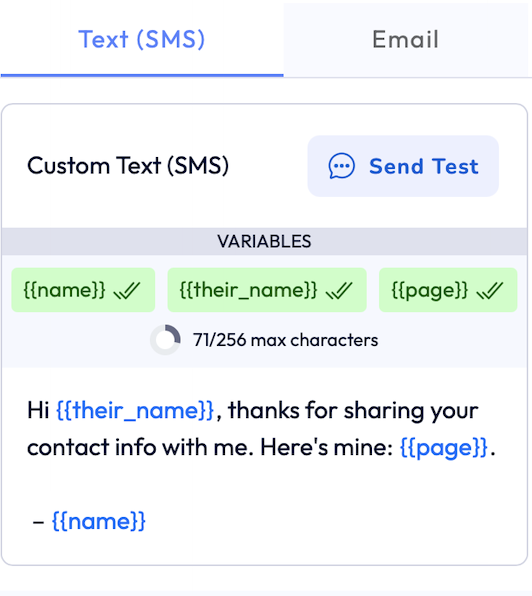
On the Follow-Up Messages screen:
-
Tap into the text field and write your custom message.
-
-
Tap Save when finished.
Your new message will now automatically send when people connect with your page.