
Overview
Linq products make it simple to share your professional identity with a single tap or scan.
Every Linq product uses smart NFC and QR technology, allowing you to connect faster, make a lasting impression, and manage your digital presence from one app.
Linq products are available in multiple formats — Cards, Tags, and Hubs — all powered by the same advanced contact-sharing technology.
Linq Product Lineup
Linq Cards
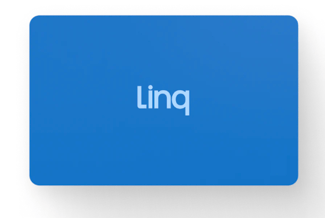
Sleek, durable NFC business cards that can be customized with your brand or personal design.
-
Tap or scan to instantly share your Linq profile
-
Available in classic black or white, or fully custom designs
-
Reusable — update your digital info anytime in the Linq app
Best for: Professionals who network in person and want a premium, reusable business card experience.
Linq Tags
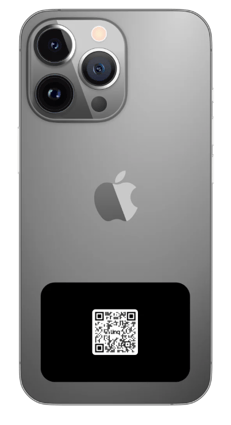
Compact, adhesive devices that attach to phones, laptops, or accessories.
-
Share your Linq profile with a quick tap
-
Ideal for everyday carry or quick introductions
-
Available in multiple colors and styles
Best for: Those who want effortless sharing without carrying a card.
Linq Hubs
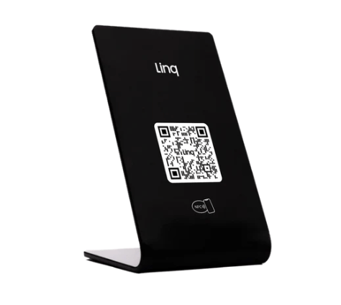
Tabletop or countertop devices that make sharing your business or team info easy.
-
Perfect for offices, front desks, trade shows, and events
-
Tap or scan to share your organization’s page
-
Durable and easy to set up
Best for: Teams, retail, and businesses that engage with clients or guests in person.
Technology & Experience
1. Tap or Scan to Connect
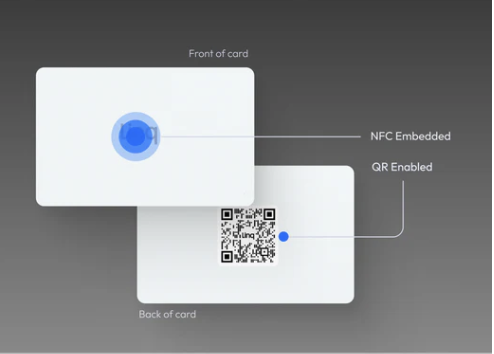
Each Linq product includes an embedded NFC chip and QR code.
-
Tap with an NFC-enabled phone for instant profile access.
-
Scan the QR code with any camera to open your Linq page.
No app is required for the person you’re connecting with — they’ll see your info instantly in their mobile browser.
2. Personalized Profiles
Use the Linq App to fully customize your digital profile:
-
Add social links, websites, contact details, and payment links
-
Upload a profile photo and cover image
-
Choose from multiple layout styles
Upgrading to Linq One unlocks advanced features like:
-
Analytics and engagement insights
-
Multiple profiles
-
Custom domains and themes
3. Contact Follow-Ups
When someone taps or scans your product:
-
They can save your contact info in just a couple of taps.
-
If they forget, Linq automatically sends a gentle reminder notification.
-
With Linq One, you can customize your follow-up messages and timing.
Activating Your Linq Product
Activation is quick and identical across all products:
-
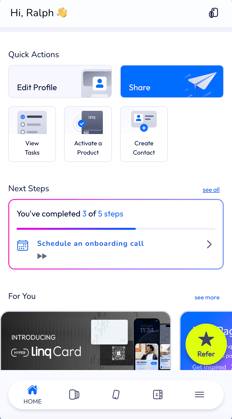
Open the Linq App.
-
Tap Activate Product or select this icon on the top right.

-
Hold your Linq product near your phone to pair it.
-
Choose the Linq Page you’d like to link.
-
Begin customizing your settings and sharing instantly.
FAQs
Do Linq products work with every phone?
Yes. iPhone and Android users can tap or scan to access your Linq profile instantly.
Do I need the Linq App?
You’ll need the app to set up and edit your profile, but your connections don’t need it to view your information.
Can I use Linq without a paid plan?
No, we have phased out free account creation. All accounts now require a paid subscription.
Notes & Tips
-
Keep your card or tag clean for the best NFC performance.
-
Test your product before events or meetings to ensure your links are current.
-
You can reassign your product to another profile at any time in the Linq App.