
How Do I Use the Linq Minicard?*
The Linq Minicard is a small, tap-enabled version of your Linq card that you can stick to your phone case or any surface you always have with you. It makes sharing your Linq page quick and effortless.
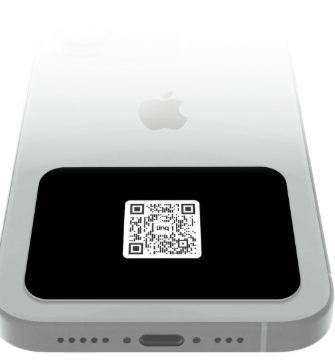
1. Activate Your Linq Minicard First*
Before you stick it to anything, make sure it’s activated and assigned to the correct page.
-
Open the Linq app.
-
Go to Products → Activate Product.
-
Follow the prompts to activate using your NFC reader.
-
If your Minicard has a QR code, you can also activate it by scanning the QR instead.
-
-
Assign it to the page you want it to open.
Once activated, the Minicard will stay tied to that page unless you change it in the app.
2. Find Your Phone’s NFC Reader (Important Before Sticking)
You’ll get the best experience if you attach the Minicard away from your phone’s NFC reader, so it doesn’t constantly trigger notifications while you use your phone.
iPhone
-
The NFC reader on most iPhones is located near the very top of the device.
-
To avoid constant scans, place the Linq Minicard near the bottom of your phone case.
Android
-
On many Android phones, the NFC reader is in the middle or sometimes toward the top or bottom of the back.
- Android users can also deactivate their NFC antenna.
-
Avoid placing the Minicard directly over the NFC area.
-
If your phone keeps popping up Linq NFC notifications, move the Minicard farther from that spot.
Tip: You can search for your phone model + “NFC location” to see an exact diagram of where the NFC reader is.
3. Attach Your Linq Minicard
Once you know where your NFC reader is:
-
Peel the backing off the adhesive on your Minicard.
-
Stick it to:
-
The back of your phone case, in a spot that doesn’t sit right on top of the NFC reader, or
-
Another item you always have with you (e.g., badge holder, notebook cover, wallet).
-
Press firmly so it stays in place.
4. How to Use Your Linq Minicard in Real Life
When you’re ready to share your info:
-
Ask the other person to unlock their phone.
-
Hold your Linq Minicard to the NFC reader area on their device:
-
iPhone: near the top.
-
Android: usually on the back, around the center.
-
-
They’ll see a notification pop up.
-
When they tap it, your Linq page opens instantly, and they can save your contact or connect with you from there.
If their phone doesn’t support NFC and your Minicard has a QR code, they can simply scan the QR with their camera to open your page.
With the Minicard activated, placed correctly, and always on your phone or daily carry item, sharing your Linq profile becomes as easy as a quick tap.
*Note: an active Linq One subscription is required to activate and use any digital business card.