
If your CRM isn’t listed among our integrations, you can still easily export your contacts from the Linq App and upload them into the CRM of your choice using a .CSV file.
Here’s how:
-
Open the Contacts tab in the bottom navigation bar.

-
Choose your contacts individually, or tap Select All Contacts.
-
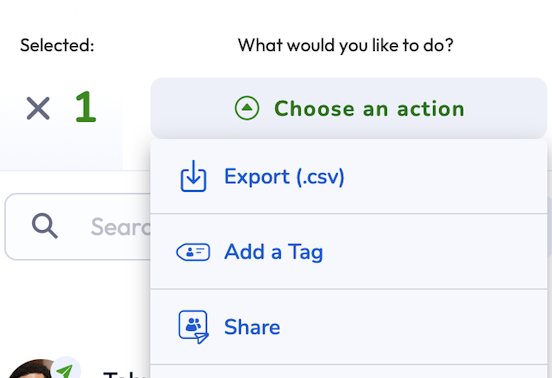
Tap Choose an Action at the top and click Export.
- Send Email.
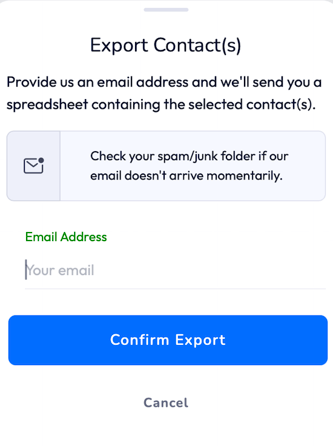
Your contacts will now be saved as a .CSV file, ready to upload or import into your preferred CRM.