
Activating a New Linq Product (Existing Linq Account)
If you already have a Linq account, you can activate new products—like cards, badges, or other NFC/QR items—directly in the app.*
Steps to Activate a Product
-
Open the Linq App
-
Launch the Linq app on your phone and sign in if needed.
-
-
Go to Products
-
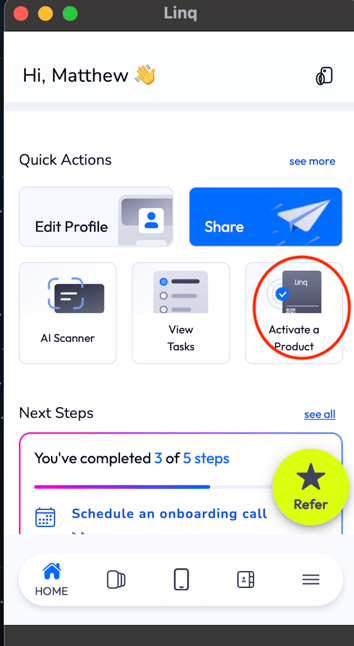
From the Home Screen, tap the Activate a Product button at the top.
-
-
-
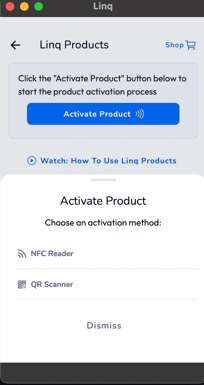
Choose NFC Reader or QR Scanner
-
Select either:
-
NFC Reader – if your product has an NFC chip
-
QR Scanner – if your product has a QR code
-
-
-
Scan or Tap Your Product
-
If you chose QR Scanner → point your camera at the product’s QR code.
-
If you chose NFC Reader → hold the product near the NFC reader area on your phone.
-
-
Confirm Activation
-
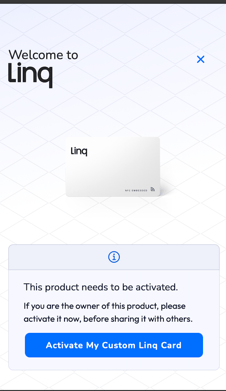
A notification will appear and take you to a page that says “Activate your Linq ___” (for example, “Activate your Linq Card”).
-
Tap Activate (or similar button), and your product will be linked to your Linq page.
*Note: an active Linq One subscription is required to activate and use any digital business card.
-